Keys that only work while you hold another one
MACM KeyBridge makes a laptop keyboard with a damaged trace usable again: it silences the key you keep held, swaps dead keys, stops airplane mode firing and tells you whether the fault is Windows or the keyboard itself.

Version 1.0.0 · Windows 10 and 11 (64-bit) · 2.3 MB · MIT
No network, no telemetry, no accounts. Everything it changes in Windows can be undone from the app itself.
What is wrong with your keyboard
Some keys only work while I hold another one
You wedge down a key you never use and KeyBridge silences it completely: Windows never learns it is held.
Some keys never work
Another key types for the broken one. It is stored in Windows, so it works with the app closed and even on the password screen.
A key annoys me
Copilot, the Windows key mid-game, Caps Lock, Insert or F1: make them do nothing.
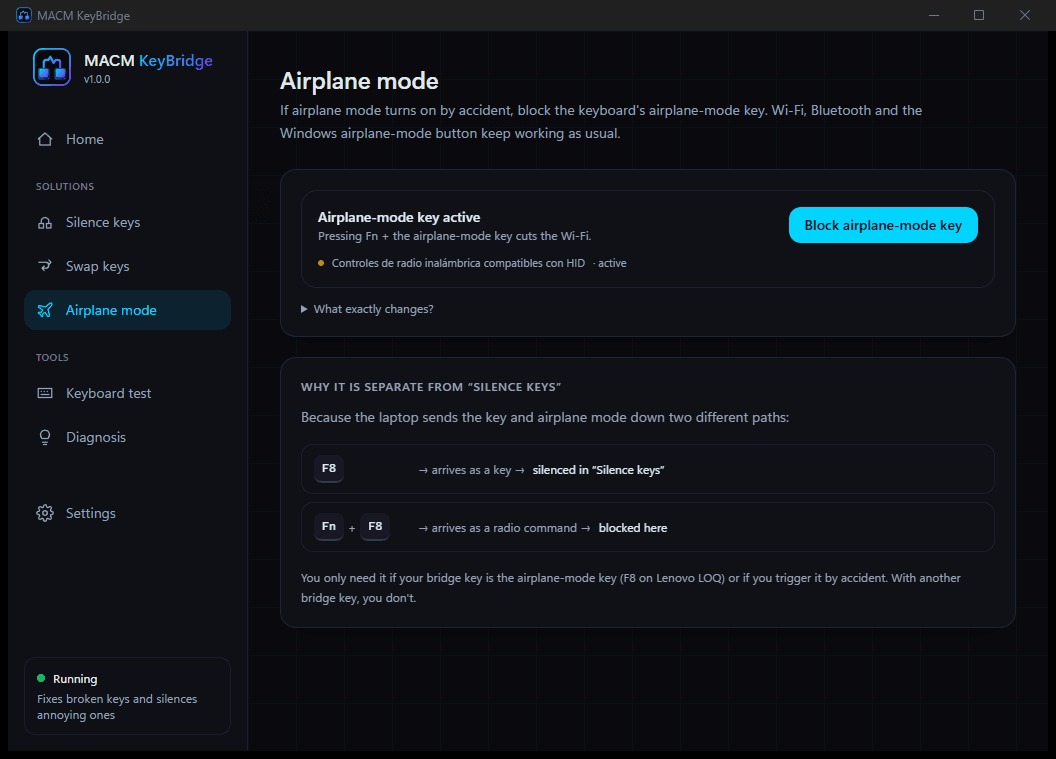
Airplane mode turns on by accident
Blocks the keyboard's airplane-mode key without touching Wi-Fi or Bluetooth, which keep working.
I don't know what is wrong with my keyboard
Checks your Windows settings, fixes what it finds in one click and runs a one-minute guided test that tells you whether the keyboard itself is at fault.
The case that started this program is the first one: on many laptops with a cracked keyboard trace an entire column of the matrix stops responding — classically 3, E, D and C — unless some other key is held down. No program can close that circuit, so KeyBridge does the next best thing: you wedge down a key you never use and it makes that key invisible to Windows.
What it looks like
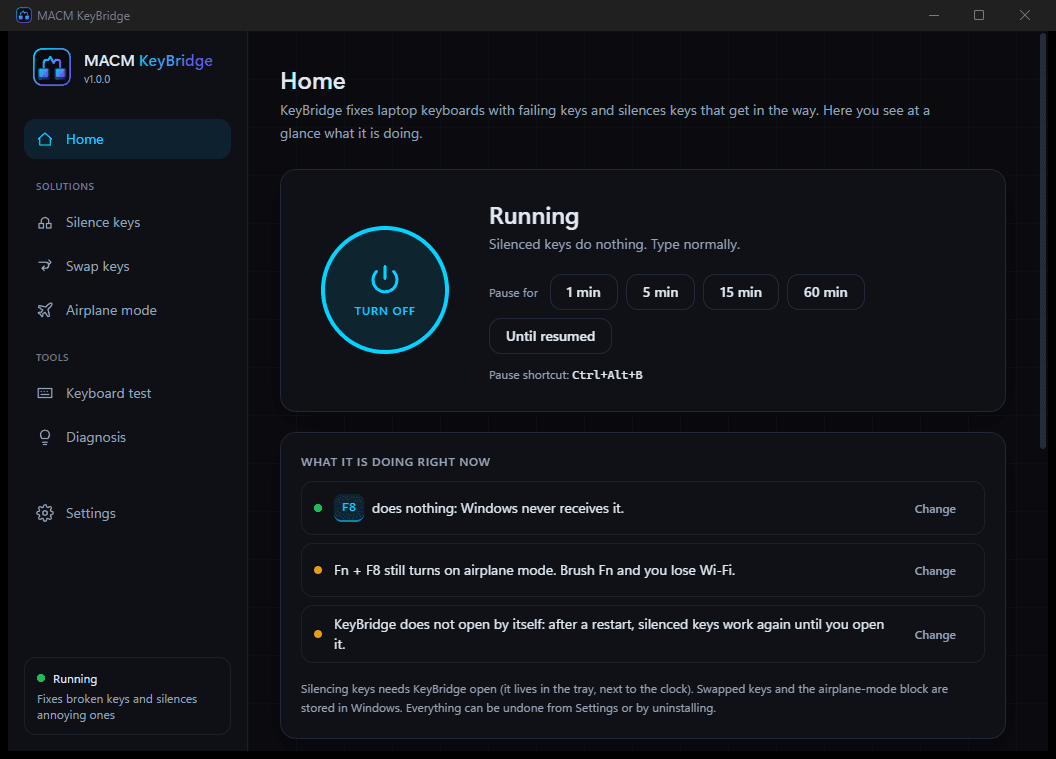
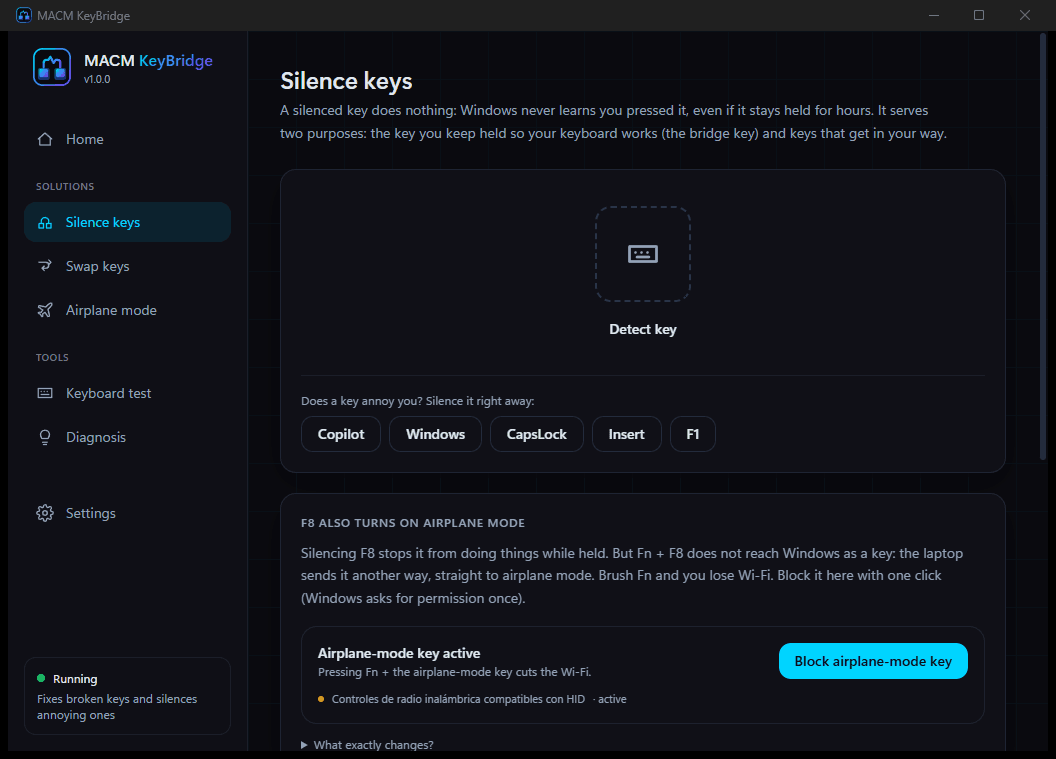

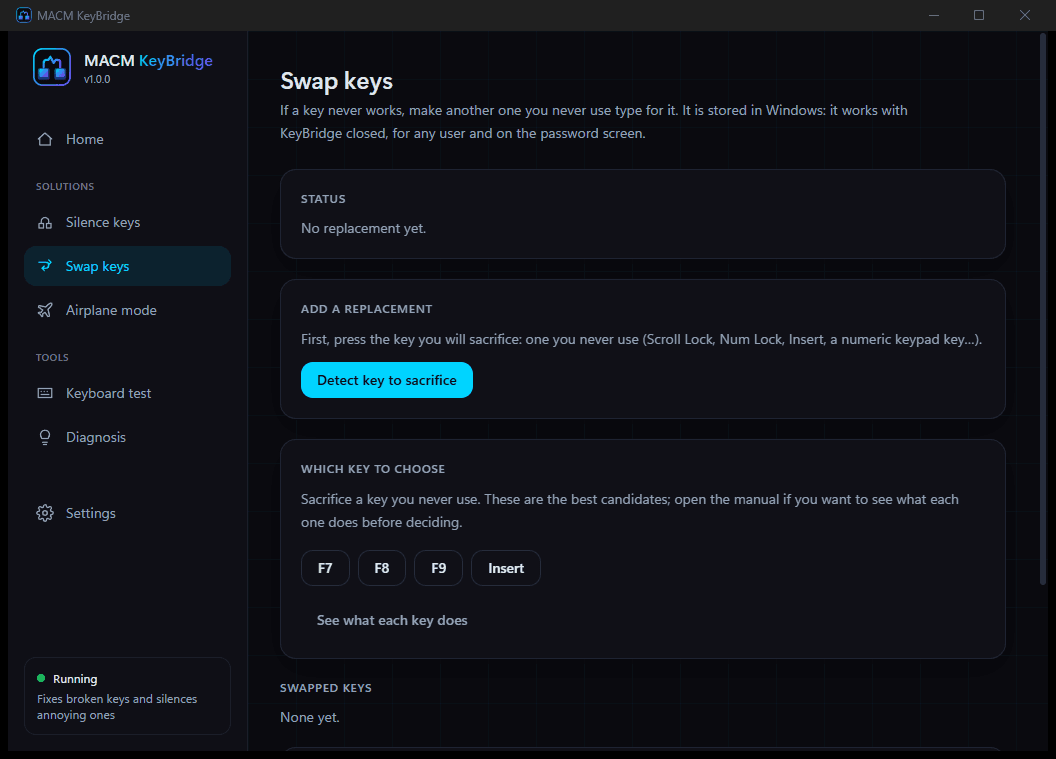
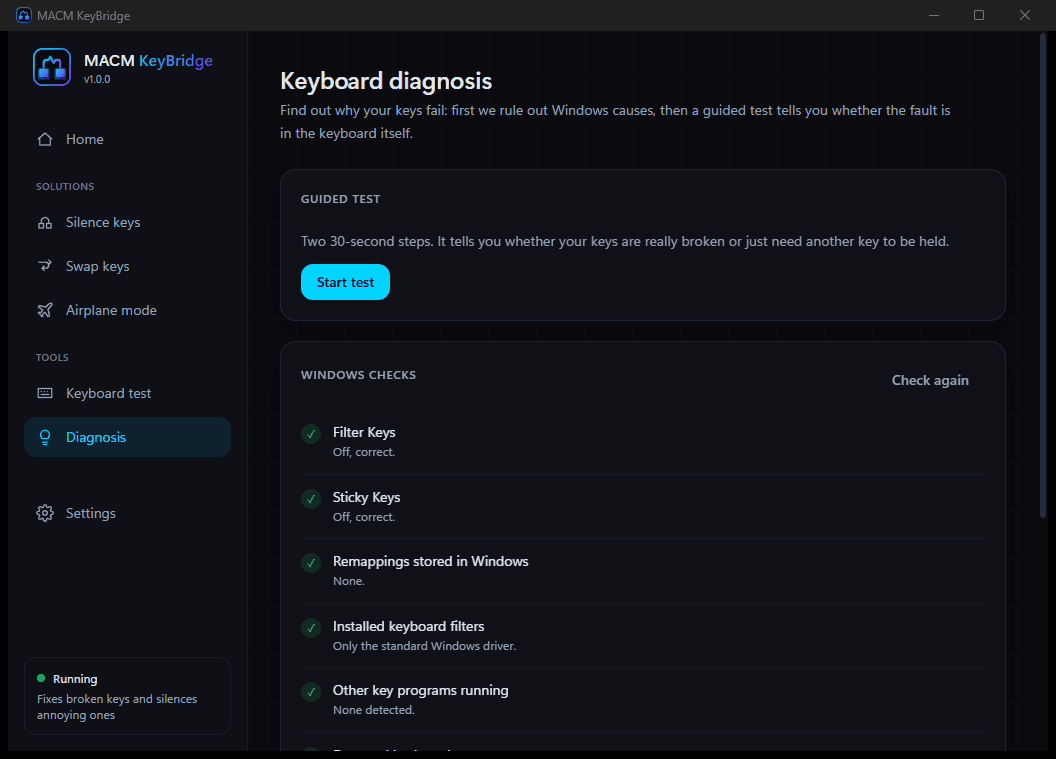
How to fix a keyboard whose keys need another key held
- 1
Download and install
A 2 MB installer, or a portable build that installs nothing. Windows 10 or 11, 64-bit.
- 2
Tell it what is wrong
The app opens asking «What is wrong with your keyboard?» and takes you straight to the fix you need.
- 3
Pick the key you sacrifice
It recommends the ones nobody uses (Copilot, F7, F8, F9, Insert) and, if you ask, explains what every key on your laptop does.
- 4
Wedge it down and type
A wedge, a clip or a piece of tape on that key. The rest of the keyboard works again and the held key stays out of the way.
What it cannot do
- • It does not repair the keyboard: the bridge key has to be held physically.
- • Silencing keys needs the app running; it lives in the tray and can start with Windows.
- • Without administrator rights, silenced keys come back while an elevated window is in front.
- • Swapped keys affect the whole computer and any keyboard connected, and need a restart.
Built by
Miguel Ángel Colorado Marin (MACM)
Built by
Miguel Ángel Colorado Marin (MACM)
Full-Stack Developer · Guadalajara, España
I develop web apps, digital tools and full projects — from design to deployment.
Frequently asked questions
Why do my keys only work while I hold another key?
Because a trace in the keyboard circuit is damaged. The keyboard controller only scans that part of the matrix while a physical press is in progress; at rest it never reads it. That is why a whole column fails (classically 3, E, D and C) and why holding any other key brings them back.
Can the program press the key for me?
No, and be wary of anything that claims otherwise. Software injects key presses into Windows, not into the keyboard circuit: the controller has already read (or missed) the key before Windows hears about it. The press has to be physical. What KeyBridge does is make that held key invisible: no repeats, no menus, no shortcuts.
Is it reversible? I don't want to break the laptop further.
Everything can be undone. Each change is listed in the app with its own remove button, Settings has an «Undo all changes» and the uninstaller runs that same cleanup automatically. Key swapping uses the Windows Scancode Map, the mechanism Microsoft documents for this; blocking airplane mode disables one device exactly like Device Manager would.
Does it record what I type?
No. KeyBridge has no internet access, no telemetry and no accounts, and its interface is forbidden from making network requests. Presses are counted and kept in memory for a moment to draw the keyboard in the test; they are never written to disk. It is open source under the MIT licence: read all of it on GitHub.
Can it disable the Copilot key or the Windows key?
Yes. Those are two direct uses: silencing the Copilot key (which the keyboard sends as Win + Shift + F23, without breaking the real Windows key) and silencing the Windows key while you game, with a shortcut to bring it back when you need it.
Does it work on the sign-in screen?
Key swapping does, because Windows stores it. Silencing a held key does not, because that needs the program running and it is not running yet on that screen. That is why swapping is the right option for a key that is completely dead.